Cash Flow Forecasting Software vs Excel: Which Should You Use?

Excel is not the wrong way to build a cash flow forecast.
For many small businesses, it is the right place to start.
The question changes when the forecast becomes something you rely on repeatedly to make hiring, pricing, investment or financing decisions.
At that point, the choice is less about spreadsheet versus software and more about this:
Do you still want to build and maintain the forecasting system yourself, or do you want the system to handle more of the structure for you?
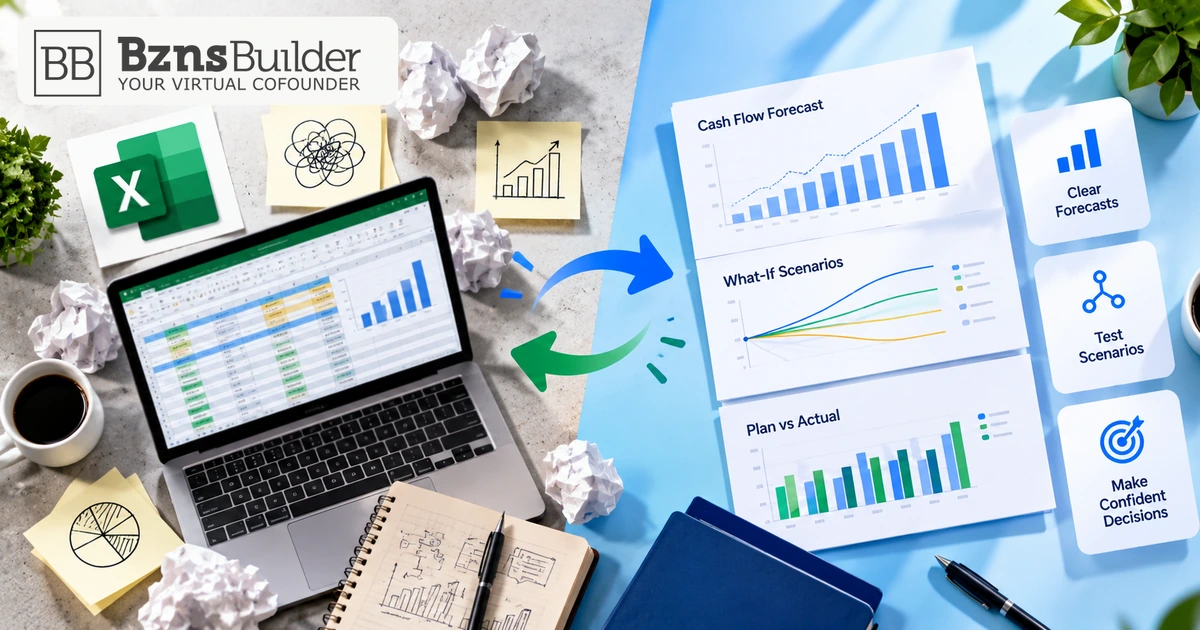
That is the practical difference between Excel and dedicated cash flow forecasting software.
The short answer
Use Excel when your forecast is relatively simple, you want maximum flexibility, someone understands the workbook well, and maintaining it manually is not creating a problem.
Consider cash flow forecasting software when the forecast is becoming a recurring operating tool, multiple assumptions need to stay connected, scenarios are becoming important, or too much time is being spent maintaining the model rather than using it to make decisions.
Neither option is automatically better.
The right choice depends on what your forecast now needs to do.
Why Excel remains a strong forecasting tool
Spreadsheets have lasted this long for a reason.
They are flexible.
You can decide exactly how your cash flow model works, add columns, build formulas, change assumptions and create whatever reporting structure fits the business.
For a founder who understands the workbook, that flexibility is valuable.
Excel can also support collaboration and version history in appropriate Microsoft 365 cloud setups, so it should not be reduced to the stereotype of a static file sitting on one person’s laptop.
Excel is especially useful when:
- you are building your first forecast;
- the model has relatively few revenue and cost drivers;
- one person owns and understands the workbook;
- you need unusual calculations or a highly customised structure;
- the forecast changes only occasionally;
- you are comfortable maintaining formulas and assumptions yourself.
If that describes your business, dedicated software may solve a problem you do not yet have.
What Excel does not remove: model ownership
Flexibility has a trade-off.
Someone still has to decide how the model works.
That includes:
- which assumptions drive revenue;
- how costs behave;
- when cash is collected;
- when payments leave the business;
- how formulas connect between sheets;
- how scenarios are created;
- how actual results are compared with the forecast;
- which version is the current version.
That work is not necessarily difficult.
But it is work.
A spreadsheet does what you build it to do.
If the logic changes, someone needs to change the workbook.
If a new decision needs a new scenario, someone needs to create it.
If the business becomes more complex, the model often becomes more complex with it.
That is the point where the spreadsheet decision deserves another look.
What dedicated cash flow forecasting software changes
Cash flow forecasting software usually starts from a different premise.
Instead of giving you a blank grid and asking you to design the model, it provides more of the forecasting structure.
The precise capabilities vary by product, so “forecasting software” is not one standard feature set.
But the general reason to consider it is simple:
You want to spend less effort maintaining the mechanics of the model and more effort using the forecast.
That can matter when the business has reached the point where cash-flow forecasting is no longer a one-off exercise.
For the broader operating discipline behind using a forecast to manage decisions, see Cash Flow Management and Forecasting for Small Businesses.
Excel vs cash flow forecasting software
| Decision factor | Excel | Dedicated forecasting software |
|---|---|---|
| Initial flexibility | Very high; you design the workbook | More structured around the software’s model |
| Setup | You build or adapt the model | Software provides some or much of the model structure |
| Custom calculations | Highly flexible | Depends on the product |
| Ongoing maintenance | Formulas, sheets and logic remain your responsibility | More of the underlying structure is maintained by the application |
| Scenario testing | Can be built manually | Often a core forecasting workflow, depending on the product |
| Collaboration | Strong in supported Microsoft 365/cloud configurations | Depends on the software |
| Version management | Available in supported cloud storage environments | Depends on the software |
| Connected financial statements | Possible if you build the model | Some products connect P&L, balance sheet and cash flow automatically |
| Cost | Depends on your existing Microsoft setup and internal time | Usually introduces a separate software subscription or service cost |
| Learning curve | Low if you know Excel; higher if the model itself is complex | Requires learning the product and its forecasting approach |
The point of this table is not to declare a winner.
It is to identify where the work lives.
With Excel, you control more of the model.
With software, you trade some of that freedom for more built-in structure.
Do not confuse subscription cost with total cost
A spreadsheet can look cheaper because there may be no new forecasting-software subscription to buy.
That comparison can be valid.
But it is incomplete if maintaining the workbook has become a meaningful job.
Consider both:
Direct cost
- spreadsheet or Microsoft 365 access;
- dedicated software subscription;
- implementation or support costs where relevant.
Maintenance cost
- building formulas;
- checking formulas;
- adding new assumptions;
- rebuilding scenarios;
- reconciling versions;
- updating actual results;
- explaining the workbook to another person.
There is no universal point where software becomes cheaper.
The useful question is:
How much time and attention does the current forecasting process consume, and what would actually improve if we changed it?
If the answer is “not much,” keep the spreadsheet.
When Excel is still enough
You probably do not need to move simply because dedicated software exists.
Excel may remain entirely adequate when:
Your forecast is simple
If you have a small number of products, predictable operating costs and straightforward payment timing, the model may remain easy to understand.
The workbook has a clear owner
A well-maintained workbook owned by someone who understands every major formula can be more useful than software nobody understands.
You do not run many scenarios
If you make only occasional changes to the assumptions, manually copying a base case and changing a few cells may be sufficient.
Customisation matters more than structure
Some businesses need unusual calculations.
A spreadsheet gives you broad control over how those calculations work.
Forecasting is occasional rather than operational
If you revisit the forecast a few times a year rather than using it as part of monthly decision-making, software may add process without much benefit.
The warning signs that you are outgrowing the spreadsheet
The trigger should not be company size.
It should be forecasting friction.
Here are stronger signals.
1. Nobody is completely sure which workbook is current
Cloud collaboration and version history can reduce this problem in a well-managed Excel setup.
But if your operating process still produces multiple competing forecast copies, the issue is no longer the arithmetic.
It is control of the forecasting process.
2. Changing one assumption requires editing several places
Suppose a new employee affects payroll, taxes, operating expenses and cash.
If the change requires manual edits across several sheets or disconnected formulas, every scenario becomes more work.
The decision to consider software becomes stronger when you want one driver to flow consistently through the financial model.
3. Scenario testing feels expensive
You should be able to ask questions such as:
- What if a large customer pays one month late?
- What if we hire in April instead of June?
- What if sales grow more slowly?
- What if we buy equipment now rather than next quarter?
Excel can model all of these.
The issue is how much manual work is required each time.
If the effort of building the scenario discourages you from testing the decision, the tool is starting to shape your behaviour.
4. Cash flow, profit and the balance sheet no longer stay comfortably connected
A growing business can reach a point where a cash-only spreadsheet is not enough.
A decision may affect revenue, profit, assets, liabilities and cash at different times.
You can absolutely build that connected model in Excel.
The question is whether you still want to build and maintain it yourself.
For the broader difference between planning views, see Budget vs Forecast: Key Differences and What Matters Most.
5. Updating actual performance has become a second forecasting job
A forecast becomes more useful when you compare what you expected with what actually happened.
If the monthly process means collecting data, updating several sheets, checking formulas and rebuilding reports manually, the maintenance burden may be a reason to consider a more structured system.
Before switching, fix the process first
Software does not repair a bad forecasting discipline.
If your assumptions are vague, software will not make them good.
If customer collection timing is unrealistic, putting it in an application does not make it realistic.
If nobody reviews the forecast, changing tools will not create the habit.
Before you move, make sure you can answer:
- Who owns the forecast?
- Which assumptions matter most?
- How often should it be updated?
- Which decisions are you trying to test?
- Which actual results should be compared with the plan?
If you cannot answer those questions, improve the process before buying another tool.
If you are still building the model itself, Business Forecasting: Creating Your First Financial Forecast Without Historical Data covers the broader starting process.
A practical decision test
Use this simple test before switching from Excel.
Stay with Excel if:
- the model is understandable;
- updates are quick;
- scenarios are easy to create;
- the correct version is obvious;
- your important assumptions stay connected;
- comparing forecast with actual performance is manageable.
Consider forecasting software if:
- model maintenance regularly delays analysis;
- scenario work requires repeated spreadsheet reconstruction;
- assumptions need to flow through several financial statements;
- forecast-versus-actual review is becoming operationally important;
- more people need to use the forecast without learning the workbook’s internal logic.
Notice what is missing from the list:
“We have grown to X employees.”
There is no universal employee count or revenue threshold at which a spreadsheet stops working.
Complexity is the better trigger.
Where BznsBuilder fits
BznsBuilder is not accounting or bookkeeping software.
It is an AI-powered business planning and financial forecasting platform.
Its forecasting model connects P&L, balance sheet and cash flow, supports what-if scenarios, and can track actual performance against the plan.
That makes it relevant when your reason for moving beyond Excel is not simply “I dislike spreadsheets.”
It is when you want the financial model and scenario logic to be more structured so you can spend more time testing decisions.
You can explore BznsBuilder’s Financial Forecasts & Scenarios.
The better tool is the one you will keep using
Excel can be an excellent cash flow forecasting tool.
Dedicated forecasting software can also be worth the cost.
The wrong decision is buying software because spreadsheets are supposedly outdated, or staying with a spreadsheet purely because you have already invested time in it.
Judge the process instead.
Can you update the forecast quickly?
Can you understand the assumptions?
Can you test a decision without rebuilding half the model?
Can someone else follow what you have done?
Can you compare the plan with what actually happened?
If Excel still answers those questions well, keep it.
If maintaining the spreadsheet is becoming the work, rather than using the forecast to make decisions, that is the point to consider a dedicated system.
Build your forecast and see how your decisions affect cash. Start your 7-day free trial with BznsBuilder.