Price Increase Calculator: How a Price Rise Changes Your Profit and Cash

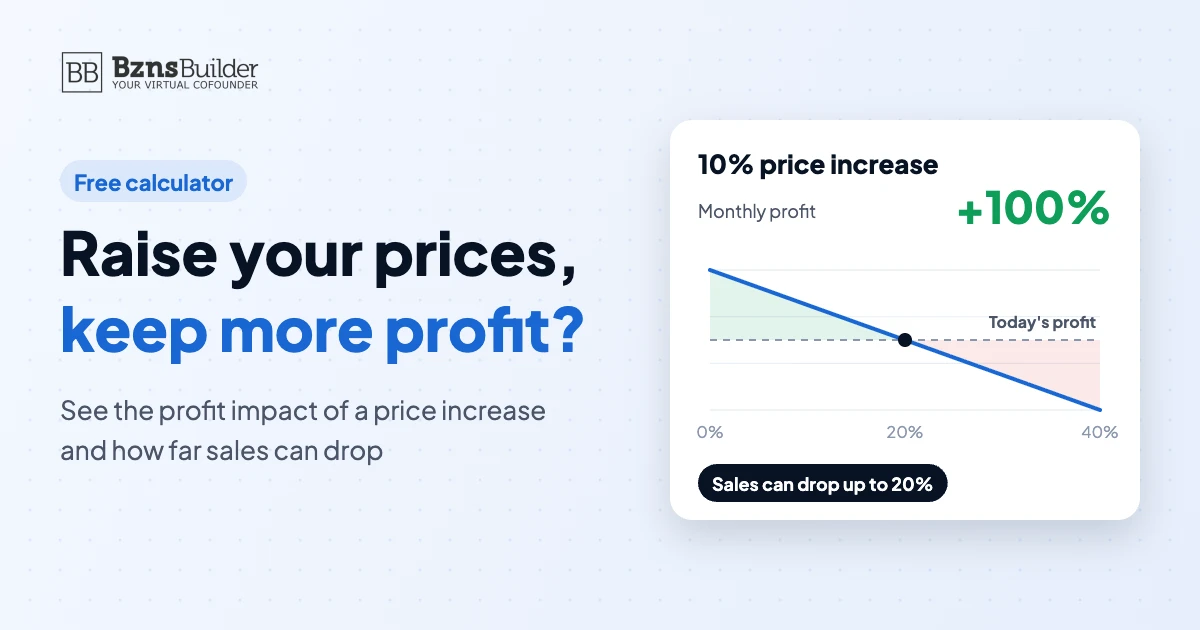
To see how a price increase changes your profit, work out your new contribution margin per sale (new price − variable cost), multiply it by the sales you expect after the increase, subtract your fixed costs and compare the result with today’s profit. The number to watch is how far sales can fall before you are worse off: the price increase ÷ the new contribution margin. Example: raising a price from $100 to $110, with a variable cost of $60, doubles monthly profit from $1,000 to $2,000 if sales hold, and you stay ahead as long as sales fall by less than 20%. Cash only improves once customers actually pay the new price.
Key takeaways
- Every dollar of a price increase goes straight to profit, because your variable cost per unit doesn’t change.
- Biggest sales drop you can absorb = price increase ÷ new contribution margin per unit.
- Price cuts are riskier than they look: in the example, a 10% cut needs 33% more sales just to stand still.
- Cash lags profit by your collection time, and existing contracts keep the old price until they renew.
The price increase formulas
You need four numbers for one month: your current price, your variable cost per unit (materials, shipping, commissions, payment fees), the units you sell, and your fixed costs. Then use these formulas:
| What you want to know | Formula |
|---|---|
| Price increase % | (new price − old price) ÷ old price × 100 |
| Contribution margin per unit | price − variable cost per unit |
| Monthly profit | contribution margin per unit × units sold − fixed costs |
| Biggest sales drop you can absorb | (new price − old price) ÷ (new price − variable cost) |
| Sales needed to keep your profit | current sales × current contribution margin ÷ new contribution margin |
Fixed costs don’t affect how far sales can fall, because they don’t change with price. They do decide whether your final profit is positive, which is why the calculator asks for them.
Price increase calculator
Enter one month of numbers. The calculator starts with the example in this guide. Enter a negative percentage to test a price cut instead.
The calculator shows the effect of price on profit only. It can't predict how your customers will react. It runs in your browser, and nothing you enter is sent or saved.
Worked example: a 10% price increase
Take a B2B company (hypothetical) selling a service package for $100 per order. Each order has a variable cost of $60, it sells 100 orders a month, and its fixed costs are $3,000 a month.
Today: the contribution margin is $40 per order. Profit = $40 × 100 − $3,000 = $1,000 a month.
After a 10% increase to $110: the contribution margin becomes $50. With the same orders, profit = $50 × 100 − $3,000 = $2,000 a month.
Biggest drop you can absorb: $10 ÷ $50 = 20%. Orders can fall from 100 to 80 before profit drops back to today’s level.
All figures in the table are in USD.
| Scenario | Price | Orders per month | Total contribution | Monthly profit |
|---|---|---|---|---|
| Today | 100 | 100 | 4,000 | 1,000 |
| +10%, same orders | 110 | 100 | 5,000 | 2,000 |
| +10%, orders down 10% | 110 | 90 | 4,500 | 1,500 |
| +10%, orders down 20% | 110 | 80 | 4,000 | 1,000 |
| −10%, same orders | 90 | 100 | 3,000 | 0 |
A 10% price increase doubled profit because every extra dollar went straight to the bottom line, while variable and fixed costs stayed the same. Even if the company loses 10 orders a month, profit is still $1,500, ahead of today.
That doesn’t make every increase safe. The limit you calculated (20% here) is the real test: if you expect to lose more customers than that, the increase will cut your profit.
Why price cuts are riskier than price increases
In the same example, a 10% cut to $90 shrinks the contribution margin from $40 to $30 per order, a 25% drop.
To keep earning $1,000 a month, the company needs 134 orders instead of 100, or 33% more sales. If orders stay at 100, profit falls to zero.
So before any discount, work out the extra sales it needs and ask whether the discount will really bring them in. Enter a negative percentage in the calculator above to test it on your own numbers.
How a price increase affects cash flow
Profit improves with the first invoice at the new price. Cash improves when the customer pays. Four things decide when the increase actually reaches your bank account:
- Payment terms: if customers pay in 60 days, the extra $1,000 a month in the example won’t arrive until month three.
- Existing contracts and orders: anything agreed earlier keeps the old price until it renews.
- Lower purchasing: if orders fall, so do your supplier payments. In the example, 10 fewer orders means $600 less going out each month.
- Slower payers: some customers pay later after an increase, so watch your collection days for the first few months.
If cash is tight, put the increase on a month-by-month timeline instead of looking at monthly profit alone. Our guide to building a 12-month cash flow forecast shows how, with a free Excel template.
Before you raise prices: a checklist
- Work out the biggest sales drop you can absorb before you pick the percentage.
- Compare with competitors and with the value customers get from you. Our guide on how to price a product covers the main pricing methods.
- Start with something you can test: one product, new customers only, or one location.
- Tell existing customers early and clearly, with the date and what they get.
- Check contracts and payment terms so you know when the increase starts arriving.
- Track sales for 4 to 8 weeks and compare the actual drop with your limit.
If your variable costs rise, raise your price by at least the same amount to keep your margin per unit, then recalculate your break-even point.
Test a price increase in BznsBuilder before you commit
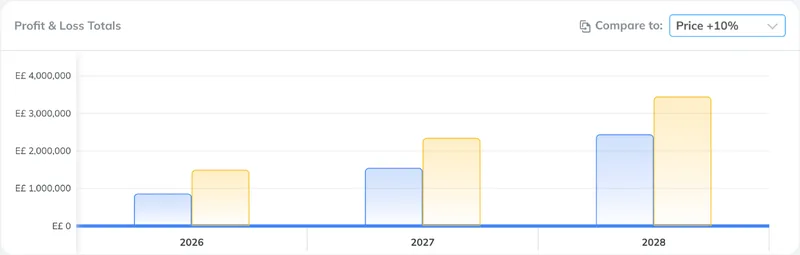
The calculator shows the effect on one month of profit. In BznsBuilder, you put the increase into your financial forecast and see its effect on your profit and loss, cash flow and balance sheet month by month, next to a scenario where sales drop or customers pay later.
Learn more about financial forecasts and scenarios in BznsBuilder, or try a quick price scenario in Reality Check.
Test your price increase on your forecast. Start your free 7-day trial.
Related guides: How to calculate break-even, How to build a 12-month cash flow forecast and Why sales are up but cash is going down.
Price increase FAQ
How do I calculate the impact of a price increase on profit?
Work out your new contribution margin (new price − variable cost), multiply it by the sales you expect, subtract fixed costs and compare with today’s profit. In the example, a 10% increase lifts monthly profit from $1,000 to $2,000 if sales hold. Cash improves only once customers pay the new price.
How do I calculate a price increase percentage?
Divide the difference between the new and old price by the old price, then multiply by 100. Going from $100 to $110 is ($110 − $100) ÷ $100 × 100 = a 10% increase.
How much can sales drop after a price increase?
Divide the price increase by your new contribution margin per unit. In the example, $10 ÷ $50 = 20%. If sales fall by less than that, you make more profit than before. If they fall by more, the increase costs you money.
Does a price increase improve cash flow right away?
Not always. If customers pay at the time of purchase, you see the extra cash the same month. If they pay in 30 or 60 days, or you have contracts at the old price, the extra cash arrives later by the same amount of time.
How much should I raise prices when my costs go up?
To keep the same margin per unit, raise your price by at least the increase in variable cost. If an order costs $10 more to deliver, raise the price by at least $10 so you don’t earn less on each order.
Test your new price on real numbers
See the effect on profit and cash in minutes.
- P&L
- Cash flow
- Scenarios